Nitrux Linux

Nitrux is a 64-bit Debian-based Linux distribution for people who want a locked-down, fast and unapologetically opinionated desktop. It replaces systemd with OpenRC, runs the Hyprland Wayland compositor, and keeps the root filesystem read-only so the system stays predictable and easy to roll back.
A Hyprland desktop, not a traditional DE
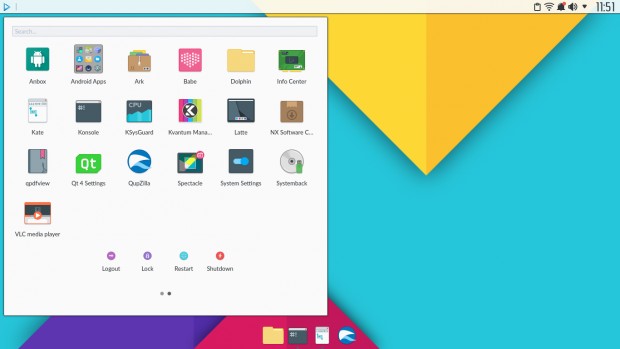
Nitrux used to ship its own NX Desktop, built on KDE Plasma. That changed with version 5.0, when the project moved fully to Hyprland. The desktop now consists of Hyprland with Waybar for the panel and greetd as the login manager, giving a lightweight, tiling-friendly Wayland session. If you are new to tiling compositors, expect a keyboard-driven workflow rather than a classic start menu.
An immutable root with easy rollbacks
The root filesystem cannot be changed after installation. That protects the system against accidental breakage and tampering, and it makes maintenance simpler. Nitrux manages this with NX Overlayroot, and the Nitrux Update Tool System handles updates and rollbacks, so a bad update does not leave you with a broken install.
Apps without touching the system
Because the base is read-only, software is delivered through NX AppHub, a user-level app manager built around AppBoxes. Apps run rootless and self-contained, so they cannot alter the core system. Flatpak and Distrobox are also supported when you need extra software or a full container environment.
Built for performance
Nitrux targets modern hardware. It publishes separate ISO images for NVIDIA and for AMD/Intel graphics, and uses performance-tuned kernels. According to the project, it also enables zswap, Transparent Hugepages, improved TCP buffer handling, and zstd-compressed filesystems with integrity checks. Its Aesthetic FHS layout aims to make the directory tree cleaner and easier to read.
Security features
The project describes a layered approach to security:
- Sandboxing with Firejail, AppArmor and Bubblewrap
- Kernel hardening against memory exploits and speculative-execution attacks
- Access control through password policies and root account restrictions
- Encryption at both block-device and filesystem level
Is Nitrux right for you?
Nitrux’s developers say plainly that it is not meant for everyone. It fits users who like a tiling Wayland workflow, want an immutable base, and are happy to follow a distinctive design philosophy. If you prefer a conventional desktop environment, browse the desktop environment directory or the distro finder for alternatives. Upgrading from Nitrux 3.x or older usually means a fresh install rather than an in-place update.
Ready to try it? Download the latest ISO from the official Nitrux website, then check the release posts and screenshots below to see how it has evolved.
| Type | Linux |
| Status | Active |
| Home Page | https://nxos.org/ |
| Page popularity | 16(16 hits per month) |
| Base distributions | |
| Desktop Environments |
|
| Releases | |
| Screenshots | |
| Telegram Channel(s) |
Other stories on Nitrux Linux
- Nitrux 7.0 Released with New Workspace Environment
- Nitrux 5.0.0 Released — Now Fully Powered by Hyprland
- Nitrux 2.7.0 sh has been released
- Nitrux 1.7.0 has been released
- Nitrux 1.6.1 has been released
- Nitrux 1.3.7 released
- Nitrux 1.2.9 released, see screenshots
- Exploring Nitrux with DistroTest
- Nitrux 1.1.1 released with updated packages & bug fixes
- Nitrux 1.1.0 brings an innovative deployment tool and MauiKit UI Framework
- Nitrux 1.0.16 released with package updates from Ubuntu Cosmic
- Nitrux 1.0.15 released with Linux Kernel 4.18.5
- Nitrux 1.0.10 released with package updates from Bionic
What do you think about Nitrux Linux?